
Party speaker and microphone rental: music, speeches or karaoke?
A speaker that plays a playlist is not automatically a karaoke system. Specify the activity and test the complete setup with your actual source and microphones.
Team Tadalo · Updated · 5 min read
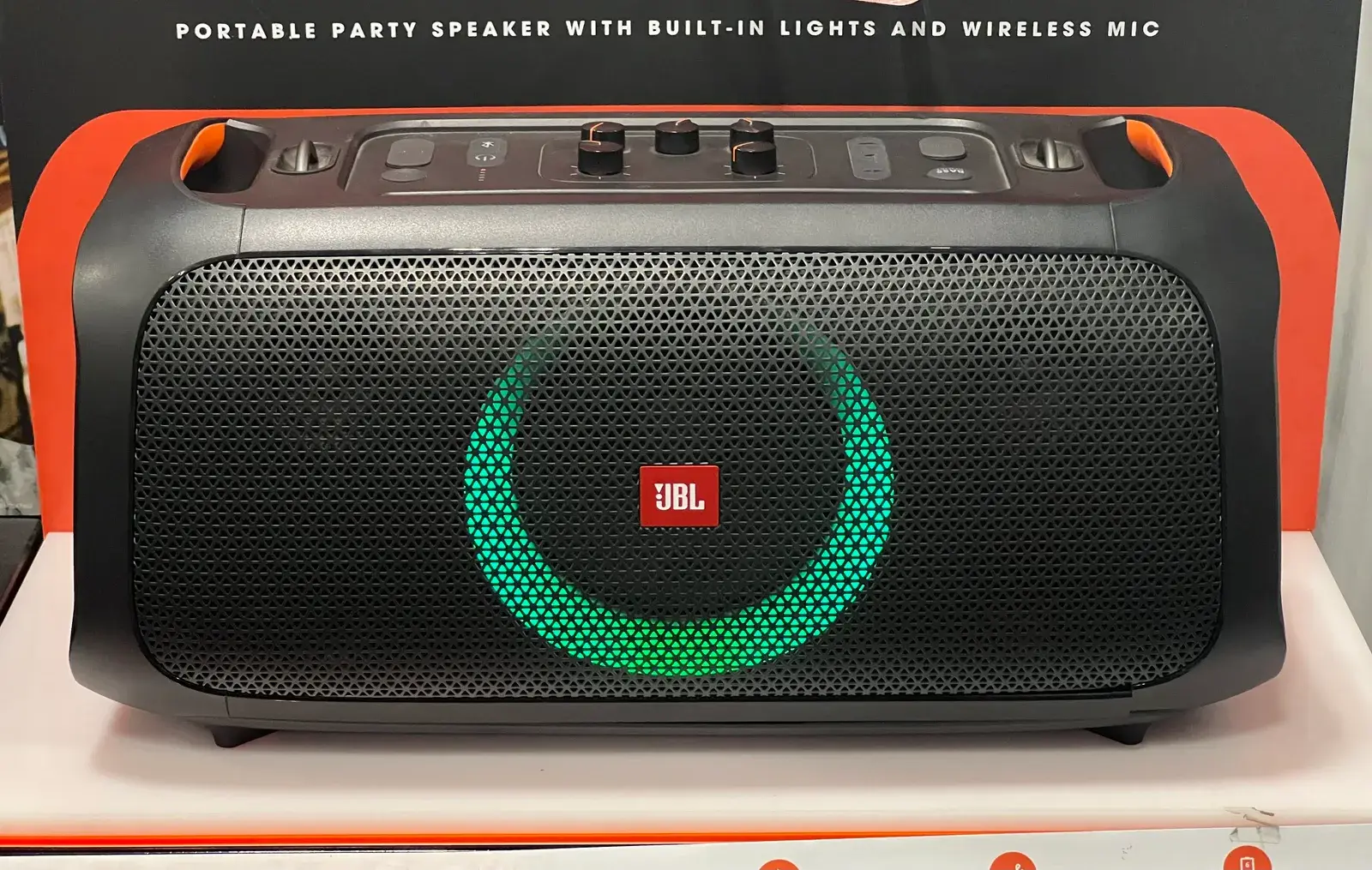
For party music, choose a speaker suited to the space. For speeches or karaoke, also arrange a compatible microphone connection and a tested complete setup. Tell the owner your source device, microphone count, venue type and expected duration.
Wattage alone does not describe the system. A useful rental is one you can operate for the actual programme and test before guests arrive, with all the required components available.
Describe the programme, not just the speaker
For background playlists, check the source connection and who controls it. For speeches, establish microphone and receiver requirements and basic level controls. For karaoke, add a source for backing tracks and lyrics, with a separate display if needed.
Explain whether you will switch between these functions. A setup requiring a complete reconnection for every song may be awkward. If nobody can operate the required system, consider a supported service rather than adding more equipment.
Bluetooth music is not universal microphone compatibility
Ask for the exact speaker model, available inputs and intended microphone. Wireless microphones are not interchangeable simply because a speaker accepts phone music. JBL’s microphone compatibility documentation illustrates why model-specific checking matters.
Confirm receivers, cables, adapters, power supplies and supports. If you need two microphones, test both in that setup rather than assuming a second behaves identically to the first. Two separately rented products do not automatically form a compatible system.
Give the provider the venue and power details
Describe approximate dimensions, guest numbers and whether the aim is conversation, speeches or dancing. Avoid universal watts-per-person rules and ask a competent provider to match equipment to the context.
For battery operation, discuss expected runtime under your planned use and charging arrangements rather than relying on the maximum catalogue claim. For outdoor use, confirm permitted conditions and installation explicitly. Check venue rules and any applicable music or time restrictions with the venue manager.
Test the whole evening’s signal chain
Use your actual phone or computer, planned music source and every microphone. Try playback, track changes, speech, lyrics display if needed and shutdown. Ask for a demonstration of the controls you need and what to do if the source disconnects.
Use appropriate supports and keep circulation clear according to provider and manufacturer instructions. A demonstration using an accessory the owner will keep is not a test of the kit you are taking away. Make sure every essential component is on the handover list.
- Confirmed speaker and microphone models.
- Necessary receivers, cables and adapters.
- Music source and any lyrics display.
- Suitable power or battery arrangements.
- A test using the complete supplied kit.
Compare the complete kit and booking period
Request the total for speakers, microphones, components and rental dates, plus any available delivery or assistance. Check deposits and return terms. A speaker-only price may not cover the equipment needed for karaoke.
Search for speakers, microphones or audio equipment, verifying actual availability with each owner. Our birthday party guide covers furniture and buffet planning, while the projector rental guide helps with a separate large-screen display.
Find equipment for your plans
These links open category searches. Check the location, dates, accessories and conditions in each listing. They are not packages or guaranteed availability.
Frequently asked questions
Is a Bluetooth speaker enough for karaoke?
Not necessarily. Check a compatible microphone connection, backing-track source and any lyrics display, then test the full setup.
How many watts do I need for a party?
There is no universal per-person figure. Describe the venue, audience, programme and conditions so a competent provider can select a suitable system.
Does a wireless microphone include its receiver?
Confirm the exact model, connection type and required components rather than assuming a receiver is included.
Keep exploring
Pressure washer rental for a patio or courtyard: choosing the complete kit
Start with the paving, water supply and accessories rather than the biggest pressure figure. Prepare the job before your rental period begins.
Birthday party equipment rental: what you actually need for a party at home
Start with guests, space and the party format. Then rent the furniture, audio and accessories you are missing rather than filling the room with unnecessary equipment.
Table and chair rental for a family lunch: quantities, measurements and transport
More guests than chairs does not require a full event package. Count the missing places and check the layout and transport before reserving extra furniture.
Projector rental for a home movie night: screen, sound and connections
A projector is only one part of the evening. Check the room, actual content and complete audio-video setup before inviting everyone for a film or birthday video.
Photo credits
Real photographs from Wikimedia Commons, resized for this website; some previews are cropped. Images illustrate the guide and do not guarantee equipment availability.
- Packaging for a portable JBL PartyBox On-The-Go speaker — TaurusEmerald. Wikimedia Commons · CC BY-SA 4.0
